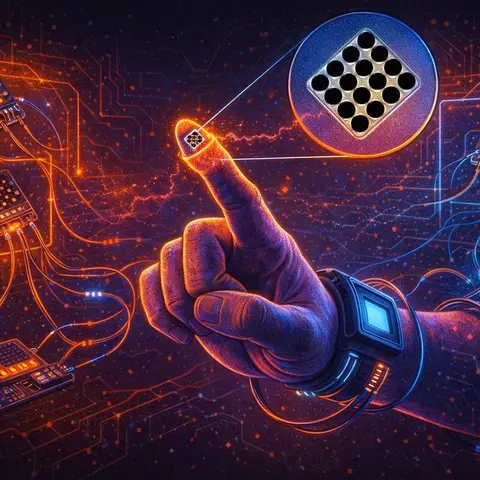
eTactileKit: An Open-Source Toolkit for Electro-Tactile Haptic Design
Electro-tactile interfaces—which deliver tactile sensations through electrical stimulation of skin nerves—offer unique advantages like fast response times, thin flexible form factors, and the ability to simulate textures, softness, and even coldness. But designing them has been notoriously difficult, requiring deep electronics expertise and custom hardware. eTactileKit changes that. This open-source toolkit provides end-to-end support: modular hardware that scales from 8 to 128+ electrodes, design tools for creating 2D and 3D electrode layouts, a Processing-based pattern creator with visual simulation, a GUI for real-time testing and calibration, and APIs for Python and Unity. A three-week study with both novice and experienced designers showed the toolkit significantly lowered the barrier to entry while improving design workflows—enabling rapid prototyping of applications from VR haptic buttons to 3D-printed interactive toys.
Praneeth Bimsara Perera, Ravindu Madhushan Pushpakumara, Hiroyuki Kajimoto, Arata Jingu, Jürgen Steimle, and Anusha Withana. 2025. eTactileKit: A Toolkit for Design Exploration and Rapid Prototyping of Electro-Tactile Interfaces. In The 38th Annual ACM Symposium on User Interface Software and Technology (UIST '25). Association for Computing Machinery, New York, NY, USA, 17 pages. https://doi.org/10.1145/3746059.3747796
Transcript 2,228 words
Welcome back to the Deep Dive. Today we are immersing ourselves in the sophisticated world of haptic technology. Specifically, we're looking at electrotactile interfaces. These are the systems designed to, well, to bridge that gap between our digital interactions and a real physical sensation. Precisely. And they often come in these exceptionally thin, flexible forms you can wear right on your skin. So maybe we should start with a definition. What exactly is electrotactile stimulation?
It's a method that uses precisely tuned, frequency-modulated electrical currents. These currents are directed at the sensory nerve fibers just under the skin. And this mechanism gives it some very clear benefits over, say, older vibrotactile methods that just rely on physical vibration. Okay, so what kind of benefits are we talking about? Well, for one, quicker response times, much better localization of the sensation, and, as you mentioned, the ability to create devices that
are incredibly thin and flexible. And the sensory output itself is quite compelling. It's not just a simple buzz anymore. No, not at all. Our sources note that these interfaces can render complex, nuanced sensations. Think about the feeling of coldness, or a sense of softness, or even a detailed surface texture. That certainly expands the landscape for designers. It does. But despite all that promise,
the field has historically struggled with a foundational hurdle, a very high barrier to entry for effective prototyping. What made it so difficult? Creating these devices requires specialized electrical circuitry. We're talking about systems that handle relatively high voltages and, critically, have precise current control to manage the wildly variable nature of human skin impedance. Right. Our skin isn't a perfect conductor. Not even close. So you add to that the need for complex firmware for the bespoke
design of electrode arrays, and you can see why this was mostly restricted to specialized university labs. It sounds prohibitive unless you happen to have an advanced degree in electrical engineering. That's a good way to put it. The technical cost was far above the creative benefit. So our source material today details a solution designed to tackle this specific problem. An open source, scalable toolkit called a
e-tactile kit. Okay. So our objective for this deep dive is to understand how this e-tactile kit provides that end-to-end support for designing, simulating, and exploring these stimuli. And in doing so, how it lowers that barrier to entry. Correct. For designers of all expertise levels. Before we get into the solution, the developers first had to fully understand the problem. I understand they ran a formative study with
designers already in this field. What did that study reveal? It revealed four primary challenges, which then became the blueprint for the toolkit. The first, as we've discussed, was the high barrier to entry. Designers admitted they relied on personal networks, almost a kind of tribal knowledge, or on deciphering academic research papers. Which are often dense and not written for practical application. Exactly. They found the literature incredibly difficult to translate into a working
prototype, especially without that specialized electronics background. So it's less a mature engineering field and more a collection of specialized hacks. You could say that. Yeah. The second theme was a major lack of accessible tools for design exploration. Designers were spending a huge portion of their project time, sometimes 80%, just developing the underlying technology, the hardware, the firmware. Which left very little time for the actual creative design of the
tactile experience. Right. They lacked the tools for quick iterative design. The creative bandwidth was just consumed by technical overhead. That's a classic symptom of an emerging technology. The third theme was scalability. Designers found it extraordinarily difficult to increase the number of electrodes. Going from, say, four channels to 32 often meant a complete redesign of both the hardware and the firmware. So expanding your project scope meant starting over from scratch. Pretty much. And this
severely restricted their ability to explore more intricate high-density designs. Finally, and this is fundamental, there was a pressing need for formalized protocols around safety and calibration. Which makes sense, given you're dealing with high voltages and direct human interaction. It's critical. They needed standard methods to ensure physical safety, alongside user-friendly tools that could consistently manage a user's unique comfort thresholds. Okay, let's unpack how eTactileKit addresses
these demands. We should start with the hardware, the part that actually delivers this precise, controlled sensation. How did they solve that scalability problem? They used a modular design. The foundation is a simple stacking architecture. It's made of a main controller module and one or more switching circuit modules. This elegantly solves the scalability challenge. So you just add more modules as you need more electrodes. That's it. Each switching module handles up to 64 electrodes. An expansion to 128 or
more is just a matter of stacking another module on top. That immediately shifts the problem from redesign everything to buy another component, a much simpler approach. And I read the main controller itself has a built-in validation feature. It does, which is a very practical touch. The main controller has eight built-in electrodes. This lets a designer validate the full system, test patterns, check the firmware,
all without ever having to connect an external electrode interface. An immediate onboard testing mechanism. Yes, before you get into any bespoke interface design. Let's move to the electrical specifications. We know this requires high power to get through the skin to the nerve fibers. What are the key operational specs here? The system uses a high voltage supply of 270 volts. This is fairly standard for this
application. Prior work usually falls between 200 and 300 volts to reliably overcome skin impedance. But the real innovation is in the control precision. Tell us about that. The current intensity, the pulse height, can be delivered per channel from zero up to 3.8 milliamps. And it's incremented in 200 distinct steps of 19 microamperes each. That is an extremely granular resolution. Why is that so important? It's crucial because it allows the
software to create what feels like an imperceptibly smooth change in sensation. So the user experiences a slow fade or a ramp up, not a series of jarring on-off stages. Okay, and what about other parameters? The system can handle a peak maximum current of 10 milliamps, which is a key safety boundary. The stimulation frequency is in the typical tactile range of 1 to 250 hertz. And the pulse width is finely adjustable in 1 microsecond increments.
That precise temporal control is what allows for those nuanced perceptions we talked about earlier. But getting all those pulses to the right electrode at the right time sounds complex. How is that managed? And what about safety? Individual electrode activation uses a technique called temporal multiplexing. In simple terms, the signals are rapidly switched in time one after the other, because you can't send every
signal to every electrode at the exact same moment. So it's like flashing a spotlight rapidly across many points, creating the illusion of continuous motion. That's a fitting analogy. And for safety, there are several layers. A 10 milliamp current limiting diode prevents any excessive current flow if there's a fault. And crucially, it uses a constant current driving circuit. What does that do? Skin impedance changes constantly.
With sweat, pressure, movement. This circuit acts like an adaptive cruise control, constantly adjusting the output voltage to ensure the delivered current remains stable. This prevents sudden unexpected surges in intensity for the user. That must prevent a lot of physical discomfort. And what about protecting the designer during operation? The high voltage traces on the circuit board are physically localized to a small area and are completely enclosed within a 3D
printed protective cover. So that mitigates the risk of accidental contact. Good. We've covered the hardware. Now let's transition to the software layer. This is where the toolkit promises to abstract away all that complexity. How does it help a designer create an electrode array without being a PCB or 3D modeling expert? This is where the electrode interface design tool comes in. It's a major part of the solution for that high barrier to entry. For a 2D design, designer can just
import an image, say the outline of a glove. They set basic parameters, electrode size, spacing, and the tool automatically populates the area with electrodes. So you go from a concept drawing directly to a fabrication file. Exactly. The connections can be routed automatically, using algorithms to find the shortest path, or they can be adjusted manually. The output is ready for immediate fabrication PCB ready files, or even 1.1 scale PDFs for simpler inkjet printing methods.
And what about non-flat surfaces? That's always been a major hurdle. For 3D design, the process is similar. A designer imports a standard 3D model, selects the faces where they want the sensation, and the tool places the electrodes with uniform distances across that curved surface. The output files are then ready for multi-material 3D printing, so they can print conductive traces directly onto an object.
So once that physical layout is set, the designer then has to program the sensation itself. This usually involves very low-level programming. How does the toolkit simplify that part? This is perhaps the toolkit's biggest breakthrough for creative exploration. It uses a high-level software abstraction. Through a processing library module called Detectile, the designer doesn't script electrical pulses, they script graphics. This script graphics.
Yes. They might draw a line that scans across a canvas, or the diverging ripple effect. The library then handles all the complex, low-level timing. It figures out which physical electrodes overlap with that graphical element at any given moment, and manages the exact current pulse delivery. So they have effectively turned electrical engineering complexity into visual design logic.
That's it. It allows the designer to focus on the spatial and temporal pattern of the sensation, not on micromanaging current flow. There's also a pattern library with pre-built modules blinking, scanning to get novices started quickly. That level of abstraction is transformative. Let's finish with the interaction tool GUI, which handles safety and testing. Right. The GUI provides critical support for calibration and exploration. The fast calibration feature helps a designer identify a user's lower threshold, just noticeable perception, and their upper threshold, which is the onset of discomfort.
So it maintains a unique comfort profile for each user. Yes. And the system warns you if a pattern exceeds those saved limits. It also enables real-time exploration. You get UI sliders that let you dynamically adjust all the pulse parameters, amplitude, pulse width, frequency, and the speed.
Facilitating that rapid experimentation. It does. And for validation, it has a click and sense feature to activate individual electrodes. The GUI also gives you a real-time visualization of activated electrodes and, crucially, impedance readings to check the quality of skin contact. So what does this all mean for the design community? The toolkit was evaluated in a longitudinal study with both novice and experienced designers. Did it work?
The evaluation confirmed a high-degree utility. In terms of accessibility, every single participant successfully implemented their first stimulation pattern. Four novices did it in under three hours. A timeline that would have been unimaginable before. Unimaginable. The documentation, especially its visual aids, was singled out as being essential for that. And what about for experienced designers? They reported a substantial improvement in efficiency. They confirmed the toolkit would have saved them considerable time on past projects by just eliminating that initial painful need to design custom hardware and firmware from scratch.
It let them focus on the creative part. Exactly. On the tactile experience itself, which is where their expertise should be. Let's touch on some of the applications they showcased. How did they demonstrate the kit's capacity? The application showed the full breadth of the toolkit. One involved VR integration using the Unity API for finger-worn interfaces. It provided haptic feedback to simulate, for instance, the difference between a hard button click and a soft yielding profile.
Another was a compact mobile phone add-on for private tactile notifications showing it could be miniaturized. And the most complex example. That would be the 3D printed cat toy. The design was complex, embedding electrodes onto a highly curved surface. When you stroked it, the toy mimicked the feeling of a purr. A very compelling example, they confirmed the toolkit's ability to handle complex 3D layouts.
To synthesize all this, then, a tactile kit provides a complete open-source pathway. It manages the technical complexity of high-voltage current control and electrode design, and that allows designers to prioritize the creative work. And the platform is still expanding. It already supports Python and Unity, but future work is focused on extending support to web technologies and Android mobile frameworks. Our source material detailed the difficulty of calibration, noting that perception thresholds vary significantly across the skin. What feels fine on your fingertip might be painful on your forearm.
So, if a TAC-Cal kit has now enabled rapid physical prototyping, what future advancements in sensing and software will be required to develop automated calibration procedures? Procedures that could instantly adapt stimulation parameters to a user's unique site-specific skin impedance in real-time, making the sensation truly seamless for every single user.